Steam cleaning is an environmentally friendly method that uses only water and heat to clean. It eliminates the need for harsh chemicals, reducing environmental impact and minimizing toxic runoff into water systems.
Efficient Cleaning
Steam’s high temperature and pressure effectively break down and dissolve dirt, grease, and grime. It can reach and clean even hard-to-reach areas, such as crevices, vents, and seams, ensuring a thorough clean.
Sanitizes and Disinfects
Steam’s high temperature kills bacteria, germs, and dust mites, making it an excellent choice for sanitizing and disinfecting the interior surfaces of a car. This is particularly important for health and safety, especially during pandemic times.
Stain Removal
Steam cleaning is effective at removing stubborn stains on carpets, upholstery, and leather seats. It can also tackle beverage spills, pet stains, and other hard-to-remove marks.
No Residue
Since steam cleaning doesn’t use chemicals, it leaves no residue behind. This means your car’s interior won’t be left with chemical odours or sticky surfaces.
Gentle on Surfaces
Steam cleaning is gentle on car surfaces, including paint, glass, plastic, and upholstery. It won’t cause scratches, fading, or damage when used correctly.
Conserves Water
Steam cleaning uses minimal water compared to traditional methods like hose and bucket washing, making it water-efficient.
Quick Drying
Because steam cleaning uses minimal water and dries quickly, it reduces the risk of mold and mildew growth in your car’s interior.
Cost-Efficient
While the initial cost of a steam cleaner may be higher, it can be cost-effective in the long run due to reduced chemical and cleaning product expenses
Versatility
Steam cleaners come with various attachments and nozzles for different cleaning tasks. They can clean dashboards, vents, upholstery, carpets, and even engine compartments.
Allergen Reduction
Steam cleaning effectively removes allergens like dust mites, pollen, and pet dander, which is especially beneficial for those with allergies.
Interior Refresh
Steam cleaning can rejuvenate and refresh the interior of your car, leaving it looking and smelling clean and new.
Enhances Vehicle Value
Regular steam cleaning can help maintain your car’s interior in excellent condition, potentially increasing its resale or trade-in value.
Final Thoughts
In conclusion, steam cleaning in car maintenance is a versatile and environmentally friendly option that provides a range of benefits, from thorough cleaning and disinfection to improved air quality in the car’s interior. Whether you’re a car enthusiast or simply looking for an effective and eco-conscious way to maintain your vehicle, steam cleaning is a valuable method to consider.
BENEFITS OF USING ATS ELGI STEAM CLEANERS TO CLEAN YOUR CAR
Steam Power : Our 6-bar (87 psi) operating pressure and up to 56 gr/min steam output ensures outstanding professional results.
Unlimited Steam : Never stop steaming.ATS ElgiCompactoSteam heats up in only 6 minutes and with CSS technology you will never run out of steam in the middle of cleaning again. Simply refill the water tank when the water level is low and away you go
Steam and Hot rinse setting: ATS ElgiCompacto Steam features EMC2 technology that helps prevent scale build-up in the steamer and makes water softer leaving no residue on cleaned surfaces. EMC2 technology is a powerful magnetically charged ‘filter’ that converts the molecular structure of larger minerals found in tap water (like calcium), into smaller ‘crystallized’ molecules.
COMPREHENDING BATTERY TESTER AND CHOICE OF SELECTION
Battery replacement is a frequent repair carried out by technicians in the automotive service and repair sector. Each car is equipped with a 12-volt battery, while many trucks and large machinery also use 12- or 24-volt batteries. Having a working battery is crucial because without it, using the device becomes challenging or even impossible.
A Battery Tester is useful in this situation. A battery capacity tester or deep cycle battery tester can assess the condition of your battery and make sure it is working at its best in this Blog. In this article, we will examine battery testers, their functionality, and their practically.
THE BASICS OF BATTERY TESTERS
A battery tester is an instrument that assesses the voltage, current, and various factors of a battery. It is also capable of determining the leftover energy of the battery. There is a variety of battery testers, from basic handheld devices to advanced lab-quality versions. Some testers are made for certain kinds of batteries, whereas others can analyse a variety of batteries. Battery testers are useful tools for individuals, businesses, and organizations that depend on batteries.
How battery tester work
Battery performance is measured by battery testers using a range of methods. Some testers utilize conductance testing to measure the battery’s resistance to electrical currents. Different testers employ impedance testing, a method that evaluates the internal resistance of the battery. Certain testers employ load testing to imitate a load on the battery to assess its performance under pressure. However, some people utilize pulse testing, a method that involves sending brief bursts of energy to the battery while analysing its reaction. Every technique has its pros and cons, and the selection of tester relies on the particular use case.
Why battery testers are useful.
There are various benefits to using battery testers. Initially, they assist in prolonging the lifespan of batteries by detecting issues at an early stage. Regular battery testing allows for the identification of problems such as decreased voltage, elevated internal resistance, and other performance-related issues. Battery testers can help you save both time and money as they prevent unnecessary battery replacements. If a tester indicates that a battery still has many hours of use remaining, you can postpone purchasing a replacement. Ultimately, batteries aid in ensuring safety by avoiding overcharging and undercharging, which may harm batteries and create safety risks.
Choosing the right battery tester for your needs
When deciding on a battery tester, it is important to take into account various factors. To begin with, analyse the different kinds of batteries you will be testing. Certain testers are meant for battery types, while others can examine a variety of batteries. Next, consider the requirements for your testing. Do you require a portable device for checking batteries while traveling, or a higher-quality one for taking accurate readings in a laboratory setting? Next, consider your financial plan. Battery testers may vary in price from a few thousand to hundreds of thousands, depending on their complexity and features.
Here is your solution for BATTERY TESTER
MIDTRONICS MDX-600 SERIES
The MDX-600 Series is the first tester at entry level that allows you to service every 12-volt vehicle battery that comes into your workshop and gives a reliable result that allows you to advise your customers.
SAFE to use anywhere, even in front of the customer.
FAST & ACCURATE testing of the battery or electrical system in few minutes SIMPLE proven user interface eliminates guesswork and user error to provide an accurate every time.
Advanced Features
Multiple vehicle applications, Battery types and Rating systems
Large back-lit screen and improved user interface
Integrated printer option
Improved removable cable design.
Field replaceable cables
Reverse Polarity Protection
Conclusion
In conclusion, understanding the functionality and importance of battery testers is crucial for making informed choices in maintaining and optimizing your batteries’ performance. Being the leading Garage Equipment’s Manufacturer, we offer you the complete Vehicle Battery Management solution you need. Reach us at 1800 203 3544 for enquiries and visit us at www.ats-elgi.com for more product updates.
In the quest for sustainable living, water recycling emerges as a beacon of hope, offering a myriad of benefits that extend beyond conserving a precious resource. This transformative practice not only addresses water scarcity but also plays a pivotal role in environmental preservation, economic efficiency, and fostering resilient communities.
Conserving Nature’s Elixir : At the heart of water recycling lies the profound impact on water conservation. By treating and reusing wastewater, we significantly reduce the strain on our natural water sources. This isn’t merely about meeting today’s needs; it’s about ensuring a sustainable water future for generations to come.
Environmental Guardianship : Water recycling system stands as a guardian of our environment. The process involves meticulous treatment, preventing the release of harmful pollutants into rivers and oceans. The result? Cleaner waterways, healthier ecosystems, and a tangible contribution to the global fight against water pollution.
Tackling Water Scarcity Head-On : In regions grappling with water scarcity, water wash water recycling system emerges as a lifeline. By providing an additional source of water, it mitigates the impact of droughts and population growth, offering a sustainable solution to one of the most pressing challenges of our time.
Economic Efficiency Unleashed : Industries are discovering that economic efficiency goes hand in hand with water recycling. By incorporating recycled water into their processes, businesses not only reduce operational costs but also contribute to a more sustainable and cost-effective industrial landscape.
Building Climate Resilience : As climate change brings about more frequent and intense water-related challenges, water recycling stands resilient. This practice provides a stable alternative water source during periods of scarcity, contributing to the overall climate resilience of communities.
Community Health and Well-being : Clean water is fundamental to human health, and water recycling plays a vital role in ensuring access to safe and uncontaminated water. By preventing pollution and protecting water sources, it becomes a cornerstone for the health and well-being of communities.
Energizing Sustainability : The energy savings associated with water recycling should not be overlooked. Treating and recycling water often demands less energy compared to traditional water sourcing and transportation methods, aligning with broader efforts for a more sustainable and eco-friendly future.
Balancing Act for Ecosystems : Water recycling doesn’t just stop at human benefits; it extends to our natural ecosystems. Controlled discharge of treated wastewater supports biodiversity, creating a delicate but crucial balance between human activities and the environment.
In conclusion, wash water recycling plant/ system is not just a practical solution; it’s a powerful commitment to sustainability. As we embrace this transformative practice, we take a significant stride towards a future where water is not merely a resource to be consumed but a legacy to be preserved for generations to come. Water recycling isn’t just a process; it’s a promise – a promise to build a more sustainable and resilient world.
Unlocking Sustainability: The Key from ATS ELGI
ATS ELGI’s evolution over 5 decades in the washing equipment has always been a conscious effort to manage and reduce water consumption for washing vehicles. To compliment this, ATS ELGI is proud to launch AQUA-R – Vehicle wash water recycling plant , which has limitless recycling capabilities and zero discharge of waste water
Considering the fact of Nitrogen in tyres, there are some little percent of Nitrogen will be present in the tyre, even though when we fill the normal compressed air in the local petrol pump station.
Because that is the compressed version of the atmospheric air, which we breathe. This is Oxygen, which has the mixture of 78% Nitrogen, 21% Oxygen, Water vapor, CO2 with the mix of neon gases such as Argon and Neon. Nitrogen can be generated in pure, without the mix of oxygen, with the maximum purity of around 95%.
Why Nitrogen Inflation in Tyres is Considered as Safe?
There are many cases, in which the usage of Nitrogen in tyres is safe and compatible.
For example, race cars use Nitrogen in tyres, for avoiding the moisture. Because normal compressed air consists of the little amount of water, so at the time stopping, it may lead to the potential explosion.
In case of Aircraft tyres, same water is present as the droplets inside the tyre, when it is filled with compressed air, at the time of landing. So, in both the Race cars and Aircrafts, stopping creates the extreme hot temperatures, in which that water droplets are converted into vapor. This causes the tyre to get expand and explode. This happens, only because of the reason that oxygen is highly flammable.
The purest form of Nitrogen is highly non-flammable, because it doesn’t consist of water, so this is the reason they are highly used in Aviation industry and High-performance cars, Nitrogen plays a major role in High Performance cars, as it has highly flammable conditions, while racing. When the tyres are filled with Nitrogen, explosions can be easily avoided, while crashing.
The Core Importance of Nitrogen:
When we use the compressed air, the oxygen content oxidises faster, and leaks through the rubber tyre, that leads to the tyre getting under inflated, whereas Nitrogen in tyres has its ability to maintain the pressure in the tyres.
The main reason is that the Nitrogen has the molecules, which are larger than the Oxygen Molecules, that makes harder for Nitrogen to passing through the rubber tyre. So, Nitrogen filled tyres leaks three to four time slower than the compressed air filled tyres.
The tyre which is inflated with the incorrect pressure, is very dangerous, in which it will reduce the grip and the ability to control your car. Even a partially inflated tyres leads to reduction, when come to the capacity ofoverriding the water. If the tyre cannot be able to override the water, you have zero control over the car.
Under inflated tyres gets weared faster, which leads to the changing of tyres in the low interval of time, tyre lifespan gets reduced, when filled with compressed air. But Nitrogen filled tyres maintain the pressure indefinitely. Nitrogen filled Tyres, can be checked once in a while, as the nitrogen won’t leak from the tyres in any way, which is particularly good for people with busy lifestyles, or for absent minded individuals, who only remember to check the pressure, once in a while.
Benefits of Nitrogen Gas in Tyres:
Reduces Running Temperature : Nitrogen helps us to enhance the tyre life, by reducing the running temperature, because of absence of water in the same.
Increases Tyre Life The Tyre Wear is loosely depending on the Tyre Temperature. So, the Nitrogen, been reducing the high temperature in tyres, that eliminates the wear happenings. So, Nitrogen in tyres increases its life.
Stable Temperature than Normal Air : If there are any temperature rise is happening in the Nitrogen filled tyres, in a rare case, it remains moderate during the heat cycle, which results in the longer tyre life, this proves the Nitrogen is more stable than the normal compressed air.
Can operate in Higher Temperatures : When Tyre pressure increases in the high temperatures, gives the stable pressure range, if the tyre is filled with Nitrogen. So, the tyre explosion in high temperature is completely eliminated.
No Rusting : Nitrogen does not react with any metal components like wheel rim, which eliminates the chances of rusting, whereas tyres filled with compressed air will react with the moisture inside the tyres and causes oxidation.
Enhances Fuel Efficiency : Nitrogen, when compared with the compressed air, escapes slower and retains the tyre pressure for long. Compressed air escapes faster, leads to the reduction of tyre pressure, that causes stress in the engine and the fuel economy drops. Nitrogen has a positive impact on the fuel efficiency of the car.
Improves Ride Quality :Nitrogen makes for the comfortable ride, due to the optimum pressure retained, especially when you drive at high-speeds on highways.
Safer Tyres : The Pressure range remains stable in the Nitrogen filled tyres than the compressed air, so this shows that the Nitrogen is safer than the normal compressed air.
The Pressure range may be unstable in a normal compressed air filled tyre, when the temperature is too cold or hot. If the temperature is too high, the tyre pressure may increase dramatically, and the tyre may explode, whereas Nitrogen eliminates all the complications.
Pneumatic Technology is the combination of compressed air and pressurized gas to simulate an end effector to accomplish the process done. Pneumatic Tools are also known as Air Tools, which are powered by compressed air. There are different types of Pneumatic tools, which are driven by compressed carbon dioxide stored in small cylinders, designed for the portable applications.
Most of the Pneumatic Tools consists of Pneumatic Motors for converting the compressed air. They are also known for their high power to weight ratio, less contact with the short circuits, and also during tool jamming, self-destructing behavior is eliminated. They are very user-friendly, and no need of following the elaborate process for maintenance.
DIFFERENT TYPES OF PNEUMATIC TOOLS:
DRILLS :
Drills can also be used for both fastening and boring, and it can be made work, by assembling the drill power equipment with the air compressor hose. Such tool resembles the electric pistol, in which its grip reminds the same, rather uses compressed air than the electric motor, for the rotating motion.
GRINDERS :
Pneumatic Grinders are mostly used for the cutting and grinding process, and also sometimes used for the polishing process. It works based on the rotary force transferred to the cutting or grinding disc attached with the grinder. Machine can be handled by the bare hands, based on the operation we are carrying out.
NAIL GUNS :
Nail Guns are used in the process of riveting, which can be done in the building walls, packing materials, wood works and other carpentry works, nail guns can be operated and carrying out the work to be done will be very easier.
SANDERS :
Sanders are mostly used for roughing and finishing the metal surface, it runs in both the forward and reverse direction, which helps in the very minimal material removal. Rotating in both the direction, will be operated just by the single switch of On or Off. Even some of the operations can be done, by using the abrasive paper, pasted in the rotating surface.
SCREW GUNS :
Pneumatic Screw Guns helps the operators with the work done, by just pulling the single trigger every time. Screwing made a way easier by using a compressed air than a manual process. Screw Guns are mostly used in wood works, wall works and other carpentry works.
WRENCHES :
Pneumatic Wrenches are the majorly used in Automotive and Industrial sectors, in which its variants are the usage of the different sockets, based on the application and the Tool size. The Sockets spins with the help of rotary force, and also pneumatic wrenches have torque adjustment options.
RECIPROCATING SAW :
The pneumatic reciprocating saw uses the compressed air for the cutting blade to be moved in back and forth directions, for cutting the materials. So, this tool is mainly used in Plumbing and PVC materials, wood works, doors and windows fitting, cutting branches and cutting through nails.
RATCHET WRENCH :
Pneumatic Ratchet Wrench is specially designed for operating in very limited or narrow work spaces. It allows the operator to control the speed and power level, because it is assembled with a built-in power regulator. Also, it has different variants, similar to the wrenches, based on the different types of sockets.
Conclusion
Some of our ATS-ELGI Pneumatic Tool Products are added below.
So, the success of the Pneumatic Tools in the market relies based on its efficient way of working and compressed air is the best alternative source of energy, when compared to battery and other external power sources, in which it applies to both the commercial and residential area.
Chapter 1: About Autorobot – Collision Repair System (CRS)
Outstanding Results to Car Body Repair Work
Collision repair system is versatile and universal equipment used for car body repairs. These systems are equipped
with drive-on ramps and a scissor lift, making car fastening quick and easy. The structure of the straightening bed is
specially designed to provide easy access to the vehicle chassis for tasks such as straightening, measurements,
re-assembly, servicing, and other repair jobs on the car.
About Collision Repair
What is the advantage of repair?
Replacement costs can be significantly reduced by restoring worn components rather than replacing them. This is
especially the case when the damage or wear is limited in areas(as OEM recommended).
The future of collision repair hinges upon the capacity of industry professionals to innovate and enhance the
quality, integrity, and durability of components. Crash repair experts must also continue in their quest for
innovation to assist customers in economizing while acquiring newer, technologically advanced vehicles. Through
progress and innovation, collision repair professionals will persist in reshaping how consumers perceive the
automotive industry.
Chapter 2: Collision Repair System – Damage Assessment & Inspection
Factors of Damage Assessment
Importance of Crumble Zone
To absorb the impact energy, the distorsion areas are made of integrated zones which can fold in case of
damage called as Crumble Zone
Remember that loading a car into a crash repair system should be done by trained professionals who are familiar with
the specific equipment and safety protocols in the repair shop. Safety is paramount, both for the personnel involved
and for the vehicle being repaired
Begin Repairs :
With the car securely loaded on the repair system, you can now start the necessary repair work, which may
include straightening the frame, replacing damaged parts, and refinishing the vehicle.
Chapter 4: Features & Benefits of Collision Repair System
Features
Lifting Bench : Powered with 10 Ton capacity pneumatically operated hydraulic pump with locking provision
and wheels.
Ramps : Galvanized panels with stands and it is detachable.
Bench : Powder coated MS material and can be detached.
Pulling tower : Made of special aluminum can be fixed all around the bench and from each point it can cover
70 % of the vehicle.
Sill clamps : By tightening single bolt it will hold the car and also itself gets tightened to the bench.
Pulling tower pump : Pneumatically operated, Hydraulic pump of 10 ton capacity.
Benefits
Save time
More rotation of funds
Customer delighted
There is less fatigue
Technician desire
Chapter 5: Collision Repair System – Application
Application
Sideways Pulling
Upward Pulling
Downward Pulling
Autorobot Crash repair system is ready for quick pulls to all directions (sideways, upwards/downwards).
The “pulling process” in the context of a crash repair system typically refers to a part of the repair process where
damaged or misaligned vehicle components, particularly the frame or structural elements, are realigned or “pulled”
back into their proper position. This process is essential in collision repair to ensure that the vehicle’s structural
integrity and alignment are restored to OE specifications.
Assessment : The first step in the pulling process is to thoroughly assess the extent of the damage.
Technicians use various tools and measuring equipment to determine the misalignment and damage to the vehicle’s
frame and structure.
Frame Straightening : If the frame or structural components are damaged or misaligned, the repair
facility will use specialized equipment such as frame racks and hydraulic pulling systems to gently and precisely
apply force to straighten and reshape the damaged areas. This can involve pulling, pushing, and bending the metal to
return it to its original shape.
Mounting and Clamping : The damaged vehicle is securely fixed to the frame rack or pulling system using
specialized clamps and fixtures to prevent any movement during the pulling process. This ensures that the force
applied is directed precisely to the damaged areas.
Pulling and Measuring : Technicians use hydraulic pulling tools and measuring systems to carefully apply
force to specific points on the damaged components. During this process, they continually measure and check the
alignment of the vehicle to ensure it matches the OE specifications.
Verification : Once the pulling process is completed, technicians verify that the vehicle’s structure is
aligned correctly. They use measuring systems and alignment equipment to ensure that the repaired components match
the OE specifications.
The pulling process is a critical step in collision repair, as it helps ensure the structural integrity and safety
of the vehicle. Skilled technicians with specialized training and equipment are typically responsible for performing
this task to restore the vehicle to its original condition.
Chapter 6: Measuring System
Measuring system assists you with chassis and upper body straightening work by telling the direction and extent of
straightening
Why Measuring System?
Measuring tools are crucial in an automotive workshop as parts must meet specific tolerances to ensure proper
functionality and durability under various stresses.
The measuring system in a body shop serves several important purposes:-
Accurate Repair Assessment :
Measuring systems help assess the extent of damage to vehicles involved in accidents or collisions. By precisely
measuring dimensions and alignments, technicians can determine the areas that require repair or replacement.
Alignment Verification :
These systems ensure that repaired or replaced components are aligned correctly with the vehicle’s original
specifications. This is crucial for maintaining structural integrity, safety, and overall performance.
Quality Control :
Measuring systems aid in quality control by verifying that repairs meet original manufacturer specifications(OEM).
This helps ensure that vehicles leaving the bodyshop are safe and adhere OEM dimensions.
Enhanced Efficiency :
Utilizing measuring systems can streamline repair processes by providing technicians with accurate data upfront,
reducing the need for trial and error during repairs. This efficiency can lead to faster turnaround times for
customers.
Customer Satisfaction :
By using precise measuring systems, Bodyshop can deliver high-quality repairs that meets exceed customer
expectations. This can enhance customer satisfaction and reputation, leading to repeat business and positive
referrals.
Overall, the measuring system in a body shop plays a vital role in ensuring accurate, efficient, and high-quality
repairs, ultimately benefiting both the users.
Chapter 7: 3D Measuring System
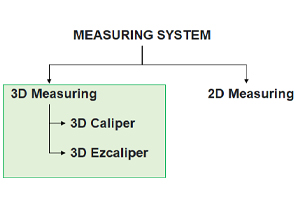
3D Measuring system can measure three surfaces; length, width, and height.
3D Measuring system is an advanced measuring device for exact verification of vehicle chassis and body condition
and for damage documentation.
With Autorobot’ s easy-to-use measuring system car chassis and body measuring is very efficient. Mechanical 3D
measuring system consists of the mechanical device for car chassis and of the measuring arch moving over entire
car body.
AUTOROBOT EZCALIPRE 3D
Chapter 8: 2D Measuring System
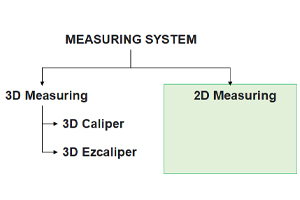
2D Measuring system can measure two surfaces; length and width
Two dimensional or 2D shapes do not have any thickness.
Measuring tram is an advanced 2D measuring device for exact verification of vehicle chassis and body condition and
for damage documentation. The new tram can be used for 2D measuring in all kinds of surroundings.
What is a tram gauge used for?
Tram instruments are essential tools for evaluating collision damage in unibody cars and for verifying critical
measurements during repairs. They are versatile tools used to check dimensions between control points on suspension
and mechanical components.
Conclusion:
In this blog chapters, we had gone through collision repair system & measuring system from Autorobot.
Application and usage with key features makes Autorobot bench unique from others.
There’s no need to wait for Black Friday deals because retailers like Dell have already rolled out some of their offers for the shopping holiday. Whether you’re planning to buy a new laptop, monitor, or desktop computer, Dell surely has something that will fit your budget. We’ve rounded up the best Dell Black Friday deals that you can shop right now to help you decide quickly on your purchases, since you need to hurry to make sure that you’re able to take advantage of the bargains. Any of these prices may return to normal at any moment, so act fast.
Top 3 Dell Black Friday deals
Dell S2721QS 4K monitor — $240, was $330
Dell
If you’re looking for monitor deals to upgrade an outdated display, you should consider the Dell S2721QS 4K monitor. You’ll be getting sharp details and vivid colors on its 27-inch screen with 4K Ultra HD resolution, and you’ll also experience less stuttering and screen tearing with AMD’s FreeSync technology. Your neck and eyes will stay comfortable with the help of the monitor’s height-adjustable stand and Dell’s ComfortView Plus that reduces harmful blue light emissions.
Dell Inspiron 15 laptop — $280, was $330
Dell
The Dell Inspiron 15 is an affordable laptop that provides decent performance for handling day-to-day tasks. It’s equipped with the 12th-generation Intel Core i3 processor, integrated Intel UHD Graphics, and 8GB of RAM, and it also features a 15.6-inch Full HD screen. The laptop ships with Windows 11 Home pre-loaded in a 256GB SSD, which will provide ample storage space for your files.
Dell XPS 13 — $599, was $799
Digital Trends
For those thinking about taking advantage of laptop deals, you can’t go wrong with the Dell XPS 13, which is a mainstay in our list of the best laptops as an affordable and well-built mainstream option. It will provide you with enough power for your daily workloads with its 12th-generation Intel Core i5 processor, integrated Intel Iris Xe Graphics, and 8GB of RAM. It runs on Windows 11 Home, which is pre-installed in its 256GB SSD, and its 13.4-inch screen with Full HD+ resolution is simply gorgeous because of its bezel-less design.
Best Dell XPS Black Friday deals
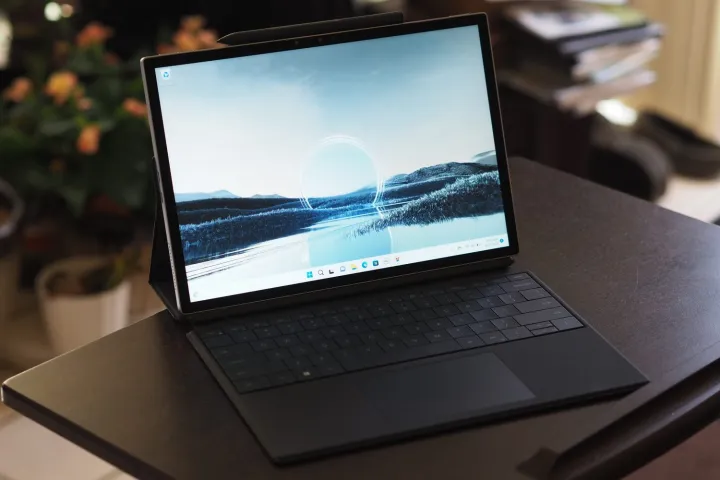
Dell XPS 13 2-in-1 laptop — $1,199, was $1,449
Mark Coppock/Digital Trends / Digital Trends
Shoppers who want performance and versatility in one package should be going for 2-in-1 laptop deals like this offer for the Dell XPS 13 2-in-1 laptop. It starts as a powerful tablet with a 13-inch 3K touchscreen and the 12th-generation Intel Core i7 processor combined with Intel Iris Xe Graphics and 16GB of RAM, then it transforms into a laptop with the XPS Folio that functions as both a detachable keyboard and protection for the display. The 2-in-1 laptop offers a 512GB SSD for storage with Windows 11 Home out of the box.
Dell XPS 15 laptop — $1,549, was $1,999
Mark Coppock/Digital Trends / Digital Trends
The Dell XPS 15, which features a 15.6-inch Full HD+ screen, holds the top spot in our roundup of the best 15-inch laptops partly because of its streamlined and solid build, above-average battery life, and strong productivity and creative performance. Inside are the 13th-generation Intel Core i7 processor, Nvidia GeForce RTX 4050 graphics card, and 16GB of RAM, and you’ll also get expansive storage space with its 1TB SSD that comes with Windows 11 Home pre-loaded.
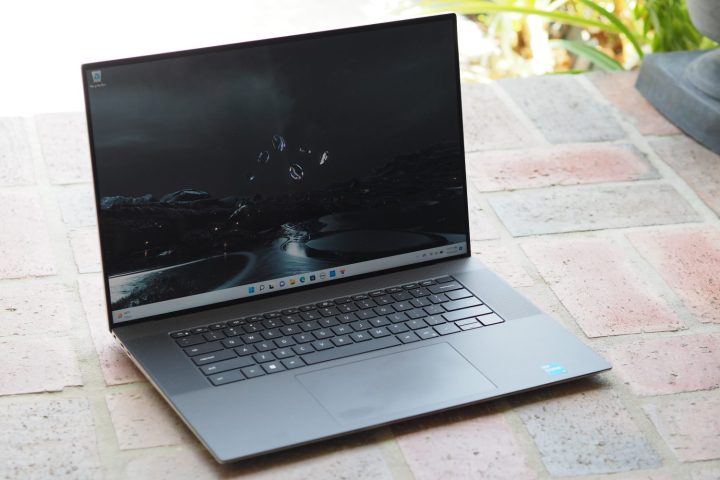
Dell XPS 17 laptop — $1,799, was $2,399
Mark Coppock / Digital Trends
Likewise, the Dell XPS 17, which is equipped with a 17-inch Full HD+ display, is our top option among the best 17-inch laptops. It offers solid productivity and gaming performance with its 13th-generation Intel Core i7 processor, Nvidia GeForce RTX 4060 graphics card, and 16GB of RAM, so you can maximize the large screen. There’s ample storage space with its 512GB SSD, and it ships with Windows 11 Home.
Best Dell laptop Black Friday deals
Dell Inspiron 15 laptop — $280, was $330
Dell
Get a good balance between reliability and price with the Dell Inspiron 15, which is more than enough for tackling basic functions like doing online research and building reports with its 12th-generation Intel Core i3 processor, Intel UHD Graphics, and 8GB of RAM. The 15.6-inch display is bright and colorful with its Full HD resolution, and the laptop is powered by Windows 11 Home that’s pre-installed in its 256GB SSD.
Dell Inspiron 14 2-in-1 laptop — $500, was $650
Mark Coppock / Digital Trends
The Dell Inspiron 14 2-in-1 laptop is an affordable option if you want a laptop and tablet in one device. The 360-degree hinges attaching the body to its 14-inch Full HD+ touchscreen allows it to easily switch modes, and you’ll be getting fast performance with its 13th-generation Intel Core i3 processor, Intel UHD Graphics, and 8GB of RAM. You’ll also have ample storage space on its 256GB that ships with Windows 11 Home.
Dell Inspiron 16 2-in-1 laptop — $800, was $1,000
Dell
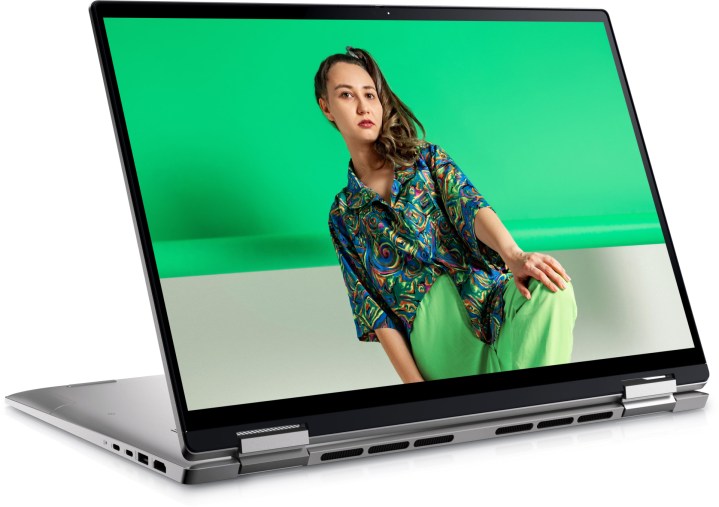
The Dell Inspiron 16 2-in-1 laptop also offers the option to switch between laptop mode and tablet mode, with a 16-inch Full HD+ touchscreen at the center of it all, but it will also provide faster performance and more storage space. The 2-in-1 laptop comes with the AMD Ryzen 7 7730U processor, AMD Radeon Graphics, 16GB of RAM, and a 1TB SSD.
Best Dell monitor Black Friday deals
Dell SE2222H monitor — $80, was $90
Dell
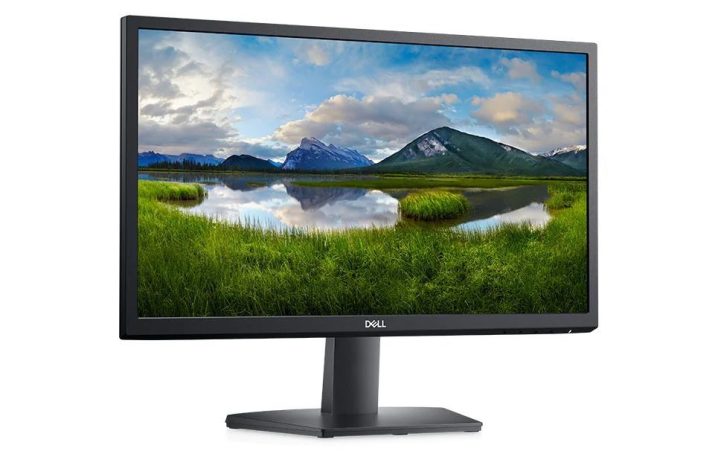
The Dell SE2222H monitor is a very cheap option if you need a new display for your computer setup, but it won’t disappoint because its 22-inch display features Full HD resolution for sharp details and Dell’s ComfortView technology that reduces eye fatigue by minimizing blue light emissions. The monitor also won’t take up too much space on your desk with its small stand and built-in cable holder.
Dell E2723HN monitor — $125, was $220
Dell
The Dell E2723HN monitor is equipped with a 27-inch Full HD screen, which is within our computer monitor buying guide‘s recommended range of 24 inches to 32 inches. The monitor also comes with Dell’s ComfortView for optimized eye comfort, support for new and old systems with HDMI and VGA ports, and a compact stand with a cable management system to reduce the clutter on your desk.
Dell S3222DGM curved gaming monitor — $240, was $350
Dell
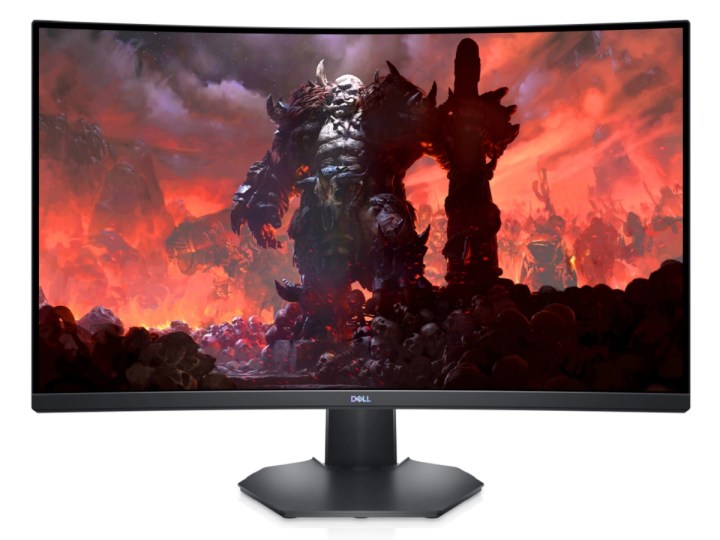
The Dell S3222DGM curved gaming monitor makes a run at the best gaming monitors with its 31.5-inch display featuring QHD resolution and a 1800R curvature, for lifelike details and immersive gameplay. It offers a 165Hz refresh rate, which will let you clearly see fast-moving objects, and AMD’s FreeSync Premium to eliminate stuttering and screen tearing. The monitor also features a downlight to illuminate your keyboard, and vents at the back for improved heat dispersal.
Best Dell desktop PC Black Friday deals
Dell Inspiron Small Desktop — $450, was $650
Dell
The Dell Inspiron Small Desktop, true to its name, is a desktop computer that won’t take up too much space because it’s only about 11.4 inches tall, 3.7 inches wide, and 11.5 inches deep. It packs a punch despite its relatively tiny stature though, as it’s equipped with the 13th-generation Intel i5 processor, Intel UHD Graphics 730, and 8GB of RAM. The desktop PC runs on Windows 11 Home, with the operating system pre-loaded in its 512GB SSD.
Dell Inspiron 24 All-in-One — $500, was $650
Dell
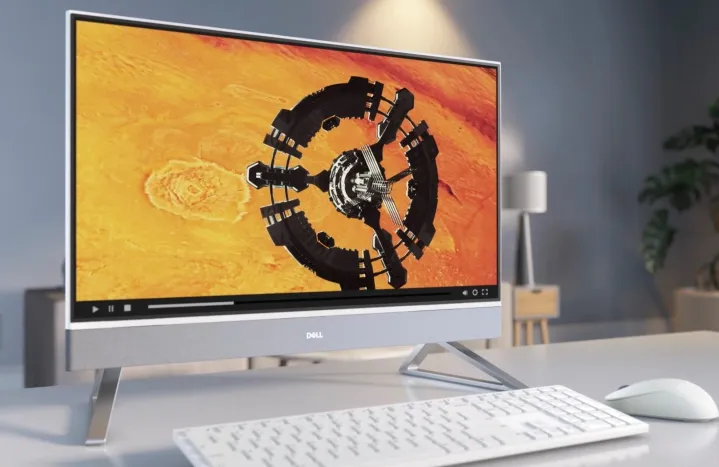
If you don’t want to deal with unsightly cables, you should check out the Dell Inspiron 24 All-in-One. The CPU and display are combined in one package, so if you go with a wireless keyboard and mouse, the only cable you need will be its power cord. The all-in-one PC features a 23.8-inch screen with Full HD resolution, and it’s powered by the 13th-generation Intel Core i3 processor, Intel UHD Graphics, 8GB of RAM, and Windows 11 Home that ships with its 256GB SSD.
Dell Inspiron 27 All-in-One — $850, was $1,150
Dell
The Dell Inspiron 27 All-in-One is included in our list of the best all-in-one computers as our recommended choice for families because it’s a solid budget option with a family-ready design. You won’t have issues with performance because it’s equipped with the 13th-generation Intel Core i7 processor, Intel Iris Xe Graphics, and 16GB of RAM, and it runs on Windows 11 Home that’s pre-loaded in its 1TB SSD. The device also features a bright and colorful 27-inch display with Full HD resolution.
Best Dell gaming laptop Black Friday deals
Dell G16 gaming laptop — $800, was $1,250
Dell
The Dell G16 is one of the more affordable gaming laptop deals that will let you play the best PC games, though you may have to choose low to medium graphic settings for some of the more demanding titles because it runs on the 12th-generation Intel Core i7 processor, the Nvidia GeForce RTX 3050 Ti graphics card, and 16GB of RAM. The gaming laptop also features a 16-inch display with QHD+ resolution and a 165Hz refresh rate, and a 512GB SSD with Windows 11 Home.
Alienware m16 gaming laptop — $1,300, was $1,800
Alienware
The Alienware m16 gaming laptop is one of the more powerful machines that gamers can buy right now. Equipped with the AMD Ryzen 9 7845HX processor, the AMD Radeon RX 7600M XT graphics card, and 16GB of RAM, it won’t have trouble running today’s most popular video games. You’ll have plenty of space for AAA titles and their necessary updates on the gaming laptop’s 1TB SSD that ships with Windows 11 Home, and you’ll enjoy gameplay on its 16-inch screen with QHD+ resolution and a 240Hz refresh rate.
Alienware x14 R2 gaming laptop — $1,700, was $2,000
Jacob Roach / Digital Trends
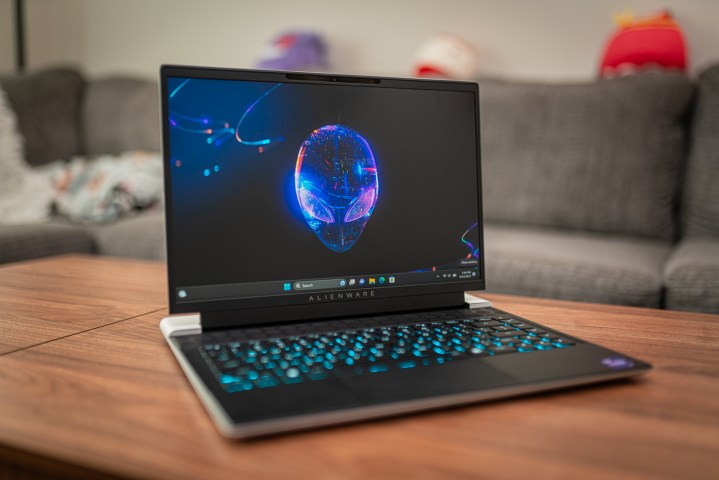
Challenging the best gaming laptops is the Alienware x14 R2 gaming laptop, which is ready for the upcoming PC games of the next few years with its 13th-generation Intel Core i7 processor, Nvidia GeForce RTX 4060 graphics card, and 32GB of RAM. The machine features a 1TB SSD with Windows 11 Home, and a 14-inch screen with QHD+ resolution and a 165Hz refresh rate.
Should you buy from Dell on Black Friday or Cyber Monday?
Most shoppers will be tempted to pass on Dell Black Friday deals in favor of potentially larger savings on Cyber Monday. However, that also carries the risk of seeing smaller discounts on the devices that you want to buy — if stocks are still available by then. If the laptop, monitor, or desktop PC that you want from Dell is already being offered at a lowered price for Black Friday, and you can afford it, it’s highly recommended that you proceed with the purchase immediately because there’s no assurance that there will be a better deal when Cyber Monday comes along.
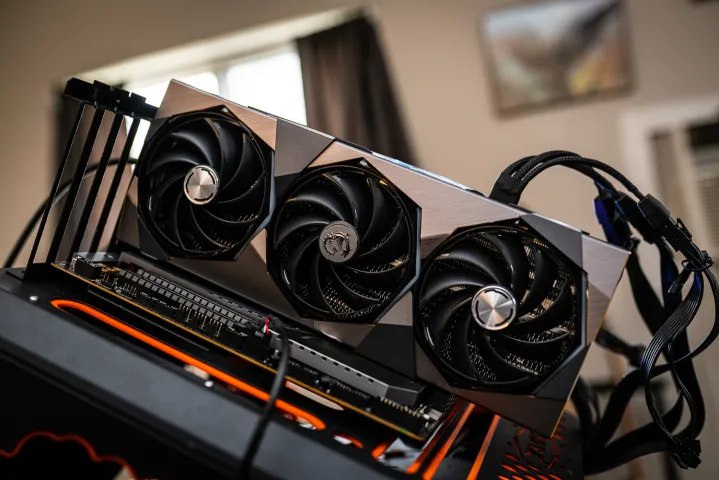
Is Nvidia really about to add to its lineup of top GPUs? All signs point to yes, and now, we have an official Nvidia keynote on the horizon that tells us when we might hear more about the rumored RTX 40 Super. Nvidia revealed that it’s going to deliver a special address on January 8 as part of CES 2024. Although the company hasn’t confirmed what it’s planning to cover, the rumor mill has been buzzing with information about three new desktop GPUs. But will they really be worth the upgrade?
Several reputable leakers have weighed in on the matter of the RTX 40-series refresh, and we’ve been getting updates about the range for a few weeks now. Nvidia doesn’t need to specifically state that it’ll talk about these graphics cards, as that is going to be the expectation anyway. The three GPUs in question are the RTX 4080 Super, RTX 4070 Ti Super, and the RTX 4070 Super.
During its previous keynote at CES 2023, Nvidia talked about the RTX 40 laptop range but also unveiled the RTX 4070 Ti — formerly known as the RTX 4080 12GB. This year, as shared by VideoCardz, it’s likely that we’ll hear about all three new desktop GPUs, but some updates regarding AI are also possible. Although Nvidia might announce all three graphics cards at once, we don’t know whether all three will hit the market simultaneously. Leaks point to the first quarter of the year for all three, though.
Initially, it seemed like Nvidia might deliver a sizeable upgrade with the RTX 40-series refresh. Sources claimed that Nvidia might shake things up, upgrading the RTX 4080 Super to the AD102 GPU (which is the flagship chip found in the RTX 4090). The RTX 4070 Super was said to be getting upgraded to the AD103 chip, which is currently utilized by the RTX 4080. These changes would unlock far more cores, an increase in VRAM, and a larger memory bus for both cards.
Jacob Roach / Digital Trends
However, it’s best not to put much stock in these assumptions. Other leaks suggest that the RTX 40 refresh will be a minor upgrade, with all cards sticking to their respective chips and maxing out the remaining core counts. Some rumors pin the RTX 4080 Super as featuring 10,240 CUDA cores and 16GB of GDDR6X memory across a 256-bit bus. The RTX 4070 Ti Super is said to sport 8,448 CUDA cores and 16GB VRAM, while the RTX 4070 Super might have 7,168 cores and 12GB VRAM.
Those specs mark an increase over the non-Super cards, but not a massive one. The RTX 4070 Ti Super (as a side note, that name’s always going to be a mouthful) would see the greatest boost thanks to the jump from 12GB to 16GB VRAM, while the core count boosts are mostly minor.
Regardless of the specs, the RTX 40 Super lineup might serve one important purpose — it should help the prices of some GPUs go down. Nvidia’s pricing has been on a worrying upward trend, which doesn’t bode well for the next generation of GPUs. If we can see the existing RTX 4070, RTX 4070 Ti, and the RTX 4080 drop in price thanks to the refresh, that alone will be a good thing.
We’ll be covering CES 2024 live as it happens, so stay tuned to make sure you don’t miss Nvidia’s announcement.
Apple’s macOS Sonoma has brought a bunch of interesting new features for Mac users, and desktop widgets are among the most useful. As the name implies, you can now drag and drop widgets right onto your desktop, giving you quick access to to-do lists, local weather forecasts, smart home controls, and much more. Here, we’ll show you how to use them.
The best part of macOS Sonoma widgets is their interactivity. Now, there’s no need to open a widget in order to use its associated app. Instead, you can just tick off your reminders or play music right from your desktop, just by interacting with your widgets. It’s a great time-saver and works with a range of widgets, including those made by Apple and by third-party developers.
Widgets are now housed in the new widget gallery, which you can access by right-clicking your desktop and choosing Edit Widgets. You also don’t need to have the widget installed on your Mac for it to run, as it will be available if it’s on your iPhone (provided it’s running iOS 17 or later). Just make sure that both devices are using the same Apple ID and Wi-Fi network, and that the iPhone is near your Mac.
In this guide, we’ll show you how to place widgets on your desktop, how to interact with them, and how to change their settings in just a few clicks. Once you’ve mastered this feature, you’ll have a great new way to use macOS Sonoma to get things done.
Add widgets to the desktop
Step 1: To add a widget to your desktop, you first need to open the widget gallery by right-clicking your desktop and selecting Edit Widgets. Or open the Notification Center and choose Edit Widgets at the bottom of the window.
Digital Trends
Step 2: This hides your open windows and brings up the widget gallery, which houses all your available widgets.
Step 3: To add a widget, pick an app name in the left-hand sidebar and drag a widget onto your desktop.
Step 4: You can place your first widget wherever you like. For subsequent widgets, you’ll see an alignment box appear as you move the second widget close to the first one. This helps you snap your widgets neatly together.
Digital Trends
Step 5: If there are any files or folders on a spot that you want to drag a widget onto, they will wrap around your widget as you place it on your desktop.
Step 6: In addition to the desktop, you can also move widgets from the widget gallery into the Notification Center.
Step 7: Once you’ve finished dragging widgets onto your desktop, choose the Done button in the widget gallery, or simply click your desktop or Dock.
Interact with your widgets
Step 1: Some widgets can be interacted with on your desktop without having to open the app they belong to.
Step 2: For example, place a widget from the Podcasts app onto your desktop. You’ll note that you can play and pause podcasts right from the widget, without having to open the Podcasts app to access these controls. Or try adding a Reminders widget — and it’ll let you tick off your tasks from your desktop.
Digital Trends
Step 3: If you hit an area of the widget that is not interactive — such as its background, for example — the app itself will launch.
Step 4: If you select a noninteractive area of a widget whose app is installed on your iPhone but not on your Mac, you will see the message “Open [app name] on your iPhone to continue.”
Edit widget settings
Step 1: Once a widget is in place on your desktop, there are various ways you can tweak it to your needs.
Step 2: To resize a widget, right click it and choose a size from the context menu that appears.
Digital Trends
Step 3: Similarly, to remove a widget, you just need to right-click it and select Remove Widget in the menu. Alternatively, you can open the widget gallery and click the – button in the widget’s top-left corner.
Step 4: Some widgets have settings that can be edited (although you can’t do this for every widget). For widgets that can be tweaked, right-click the widget, then select “Edit [app name].” This will bring up a settings window. For example, in the Weather app’s widget, you can change the location used for weather results.
Step 5: If you open the System Settings app and pick Desktop & Dock in the sidebar, you’ll see some more options under the Widgets heading. For example, you can change whether widgets fade out when you are using another app. Or you cab set widgets to disappear until you hide other windows and show your desktop. You can also disable iPhone widgets when you’re using your Mac.
Digital Trends
Interactive widgets are a handy addition to macOS Sonoma and should save you plenty of time and clicks in the long run. Place a couple of your favorite widgets on your desktop and you’ll find it much easier to get things done than it has been in the past.
Black Friday deals have brought with them some awesome laptop deals so you can save big on everything from a budget-priced Chromebook to a high-end gaming laptop. If you’ve been waiting to upgrade your current rig, this is your chance. There are so many options out there that we’ve picked out some of our favorites so you can easily find the right laptop for your needs and your budget. Here’s a look at all the highlights.
Top 3 Black Friday laptop deals
HP 17-inch laptop — $250, was $500
HP
Currently heavily discounted, the HP 17-inch laptop is ideal for anyone on a slim budget. It looks more expensive than it is thanks to having a 17-inch HD+ screen with 1600 x 900 and 250 nits of brightness. That extra room also means the keyboard is roomier with a numeric pad to the right of it that’s ideal for entering a lot of data. The laptop has an AMD Athlon Gold 7220U processor along with 8GB of memory and 128GB of SSD storage. It also has a lift-hinge to ensure you can type at a more natural position.
HP Victus 15.6-inch gaming laptop — $450, was $800
HP
Perfect for starting out with PC gaming, the HP Victus 15.6-inch gaming laptop has an AMD Ryzen 5 7535HS processor, 8GB of memory and 512GB of SSD storage. For the graphics card, there’s an Nvidia GeForce RTX 2050 teamed up with a 144Hz full HD screen. You’ll need to adjust detail levels in many cases but it’s still a good starting point for gaming, especially if you play less demanding titles like Fortnite.
Dell XPS 13 — $599, was $799
Digital Trends
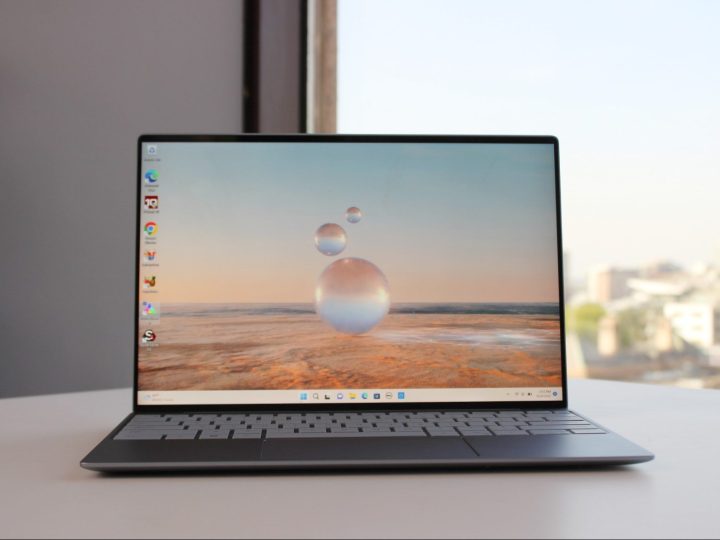
The Dell XPS 13 is consistently one of the best laptops around with this model offering a 12th-generation Intel Core i5 processor, 8GB of memory and 256GB of SSD storage. It also has a great looking 13.4-inch full HD+ screen with 1920 x 1200 resolution, 500 nits of brightness, and anti-glare properties. Dell’s thinnest and lightest 13-inch XPS, it offers a battery life of up to 12 hours while still being very sleek. It’s ideal for general use.
Best Black Friday Chromebook deals
Samsung Chromebook 4 — $129, was $159
Samsung
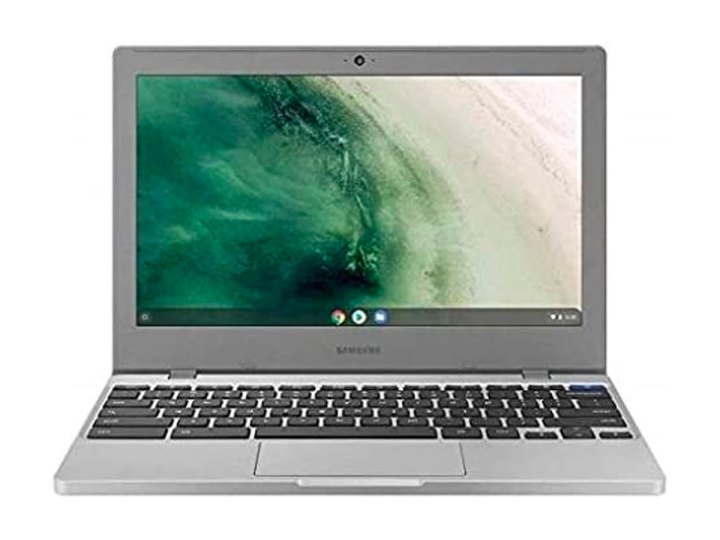
The Samsung Chromebook 4 looks just how you’d expect a Samsung device to look with clean lines aplenty. It has an Intel Celeron N4020 processor, 4GB of memory and 64GB of eMMC storage. An 11.6-inch HD screen is pretty small but it’s the right size for easy portability and ensuring the 12 hours of battery life is easily achieved. It also meets many military-grade levels of protection. If you simply need a basic Chromebook for occasional use, this one is a reasonable choice.
HP Stream 14-inch laptop — $198
HP
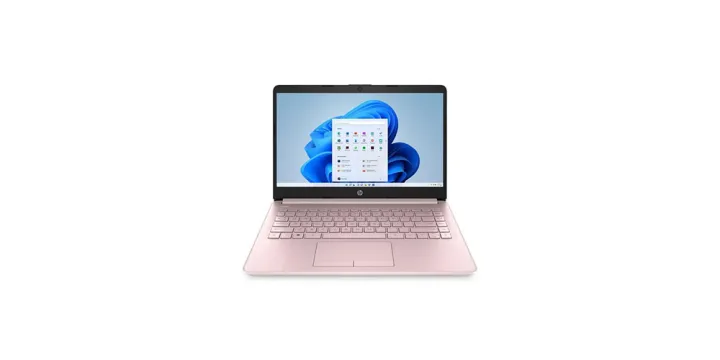
The HP Stream 14-inch laptop is a simple yet cute device that feels like it’s perfect for your child’s first laptop. It has an Intel Celeron N4020 processor, 4GB of memory and 64GB of eMMC storage. It also runs Windows 11 in S mode although we’d recommend you rely more on cloud-based apps given the performance involved. A 14-inch HD touchscreen looks reasonable for the price so it’s a good starter PC.
HP Chromebook x360 2-in-1 — $199, was $329
HP
Keen to compete with the other best Chromebooks around this price, the HP Chromebook x360 2-in-1 is a pretty stylish system. It has an Intel Celeron N4020 processor, 4GB of memory and 64GB of eMMC storage but the real highlight is its 14-inch HD touchscreen that can be rotated via its hinge to work in tablet or presentation mode. A long battery life of over 13 hours means you’re good to go all day long too.
Best Black Friday 2-in-1 laptop deals
Dell Inspiron 14 2-in-1 laptop — $550, was $730
Mark Coppock / Digital Trends
Dell is one of the best laptop brands around and that means it also knows how to make good 2-in-1 laptops. The Dell Inspiron 14 2-in-1 laptop is one such example with a 13th-generation Intel Core i5 processor, 8GB of memory and 512GB of SSD storage. The highlight is its 14-inch full HD+ screen with 1920 x 1200 resolution, 250 nits of brightness, and — of course — it’s a touchscreen. Through the 360-degree hinge, you can use the laptop as a tablet or in presentation mode when watching something. With loud and clear up-firing speakers and Dolby Atmos spatial audio, it’s perfect for entertainment as well as work.
Lenovo Yoga 7i — $550, was $850
.
Lenovo makes some of the best 2-in-1 laptops with the Lenovo Yoga 7i offering great hardware. It has an 13th-generation Intel Core i5 processor, 16GB of memory and 512GB of SSD storage. It also has a huge and gorgeous looking 16-inch WUXGA touchscreen with 1920 x 1200 resolution, 45% NTSC and 300 nits of brightness. There’s also a 1080p full HD IR/RGB Hybrid webcam with privacy shutter along with a fingerprint reader for added security. Thin and lightweight, it looks great wherever you take it, all while still managing to offer military-grade levels of robustness.
HP Spectre x360 2-in-1 laptop — $900, was $1,400
HP
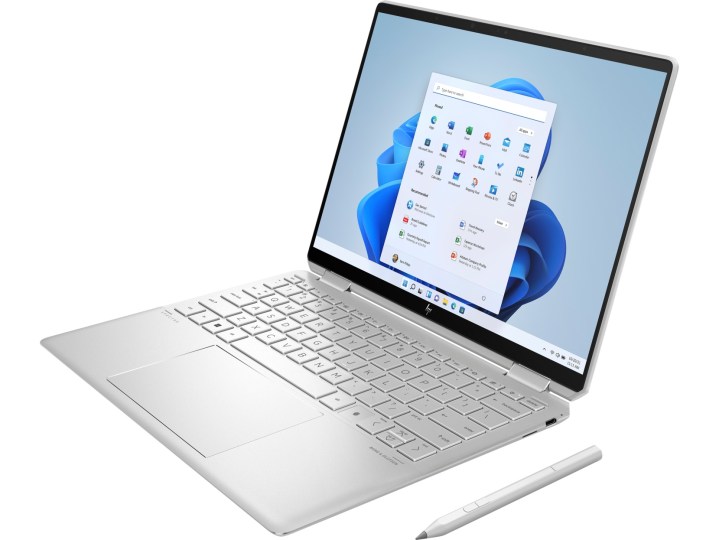
The HP Spectre x360 2-in-1 laptop is a super stylish 2-in-1 laptop. It has an Intel Core i5 processor along with 16GB of memory and 512GB of SSD storage, however, it’s the screen that shines most. A 13.5-inch WUXGA+ touchscreen with 1920 x 1280 resolution, it has low blue light protection along with 400 nits of brightness. Its 360-degree hinge means you can effortlessly move the screen to work as a tablet or in presentation mode. The HP Spectre x360 2-in-1 laptop comes with a stylus too as well as its backlit keyboard, while the HP True Vision 5MP IR camera has a camera shutter, temporal noise reduction, and integrated dual array digital microphones.
Best Black Friday 17-inch laptop deals
Acer Chromebook 317 laptop — $299, was $499
Acer
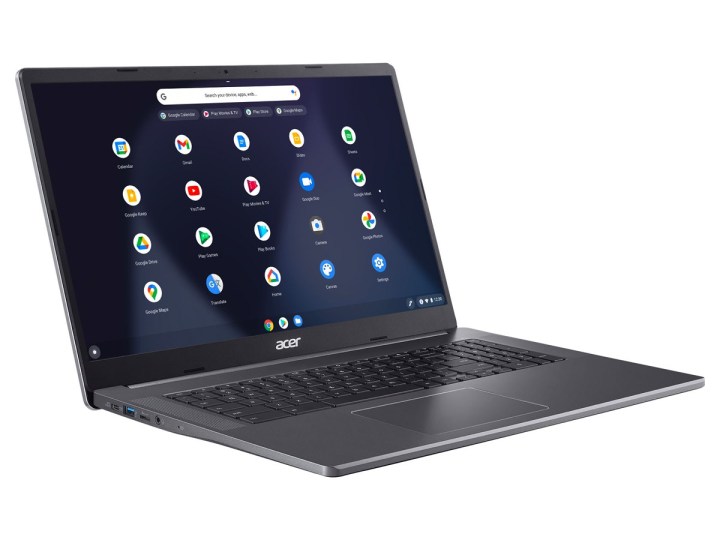
If you want a large display but you also want ChromeOS, the Acer Chromebook 317 laptop is a good option. It has an Intel Pentium Silver N6000 processor, 8GB of memory and 64GB of eMMC storage. More appealing though is its large 17.3-inch full HD IPS touch display. That means battery life is a little lower than other Chromebooks coming in at 10 hours but it’s more than good enough for most people. It’s ideal if you need more screen space while you work.
LG Gram 17-inch Ultra Lightweight laptop — $1,000, was $1,800
LG
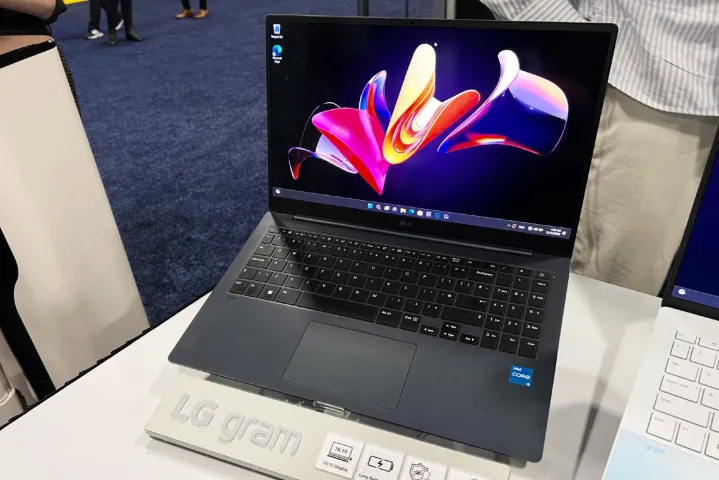
One of the most stylish laptops around, the LG Gram is a seriously nice looking laptop. It has an 12th-generation Intel Evo Platform Core i7 processor along with 16GB of memory and 1TB of SSD storage. That’s all pretty powerful stuff but it’s even more appealing when you factor in the 17-inch WQXGA IPS display with DCI-P3 99% color support. The laptop also has a full HD IR webcam with AI noise cancellation along with a Thunderbolt 4 port for hooking up displays.
Dell XPS 17 — $1,799, was $2,399
Mark Coppock / Digital Trends
The Dell XPS 17 is one of the best laptops around, especially for content creators. The laptop has a 13th-generation Intel Core i7 processor paired up with 16GB of memory and 512GB of SSD storage. Besides being able to handle all your work tasks, it can also cope with some gaming thanks to its Nvidia GeForce RTX 4060 graphics card while the 17-inch full HD+ screen with 1920 x 1200 resolution and 500 nits of brightness looks great. While it sounds like it would be bulky, the Dell XPS 17 fits into a 15-inch size form factor so it’s much more portable than you’d expect. A 93.7% screen-to-body ratio looks great too. It all comes together to make a suitably premium laptop that’s built to last.
Best Black Friday gaming laptop deals
Asus TUF 15.6-inch gaming laptop — $1,000, was $1,400
Asus
The Asus TUF 15.6-inch gaming laptop offers a lot for the price. It has an Intel Core i7 processor along with 16GB of memory and 1TB of SSD storage space. It also has an Nvidia GeForce RTX 4070 graphics card with 8GB of dedicated VRAM. The graphics card looks great on the 15.6-inch full HD screen with 144Hz refresh rate. For a gaming laptop, it’s fairly portable too thanks to weighing 4.85 pounds while you also benefit from a Thunderbolt 4 port along with Wi-Fi 6 support.
Razer Blade 17 — $1,800, was $2,800
Digital Trends
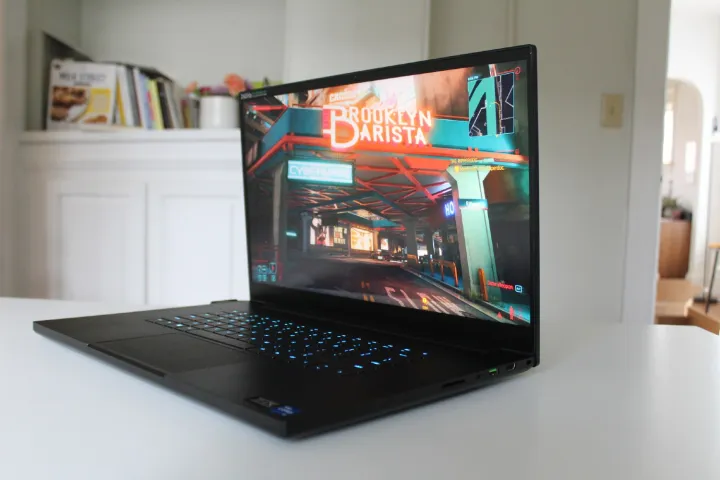
The Razer Blade range features a lot in our look at the best gaming laptops and for good reason thanks to their great components and build quality. The Razer Blade 17 has an Intel Core i7 processor, 16GB of memory and 1TB of SSD storage. Alongside that is a GeForce RTX 3060 graphics card and 17.3-inch QHD screen with 240Hz refresh rate and up to 100% DCI-P3. All the components are speedy and calibrated to work well together while even the smaller details like the per key RGB rollover keyboard and THX spatial audio are great additions. It all comes together to make a very attractive gaming laptop.
Alienware m16 gaming laptop — $2,800, was $3,500
Alienware
The Alienware m16 gaming laptop is truly a force to be reckoned with if you want the ultimate gaming laptop at the moment. It has a 13th-generation Intel Core i9 processor along with a massive 32GB of memory. There’s plenty of room for all your games too thanks to 2TB of SSD storage. The graphics card is a powerhouse as well with a Nvidia GeForce RTX 4090 with 16GB of dedicated VRAM. Whatever you want to play is going to look great on here. That’s further helped by its 16-inch QHD+ screen with 2560 x 1600 resolution, 240Hz refresh rate and 3ms response time. Supremely powerful, the Alienware m16 gaming laptop is aided by an Alienware Cryo-tech cooling system so it stays stable and doesn’t overheat. Dolby Atmos and Dolby Vision support rounds things off perfectly making the Alienware m16 gaming laptop a compelling system for those who are able to make a long term investment in their gaming.
Who has the Best Black Friday Laptop Deals?
It’s too early to say where you’ll find the largest discounts, but there will surely be no shortage of Black Friday laptop deals from all the popular retailers, including Amazon, Best Buy, and Walmart, and from the manufacturers themselves, including Dell, Lenovo, and Microsoft. They haven’t previewed their offers for the shopping holiday yet, but we’re not expecting significant differences between the sellers’ prices. You should instead focus your shopping of Black Friday deals on the websites and platforms that you’re most familiar with, so that you won’t find it difficult to search for the offers that match your needs and budget.
Should You Buy a Laptop on Black Friday or Cyber Monday?
If you don’t find the machine that you want in the upcoming Black Friday laptop deals, or you miss out because you decided to buy some other stuff first, don’t worry. You’ll get another chance at buying the laptop that you want with a discount on Cyber Monday, which will be on November 27. It’s similar to Black Friday in the sense that retailers will be slashing the prices of a wide range of products, but true to its name, it will focus on electronic gadgets and devices.
Some shoppers suggest to skip Black Friday altogether and just do your shopping on Cyber Monday, which offers a chance at lower prices. This isn’t a good idea, as while the laptop that you want may get cheaper, there’s no assurance that will happen. You’ll also be taking on the risk that your preferred retailer’s stocks of the laptop run out after Black Friday. If you see a deal that you like in the Black Friday laptop sales, bag it while you can.